
Registration Page Now Includes a Branded Cover Photo
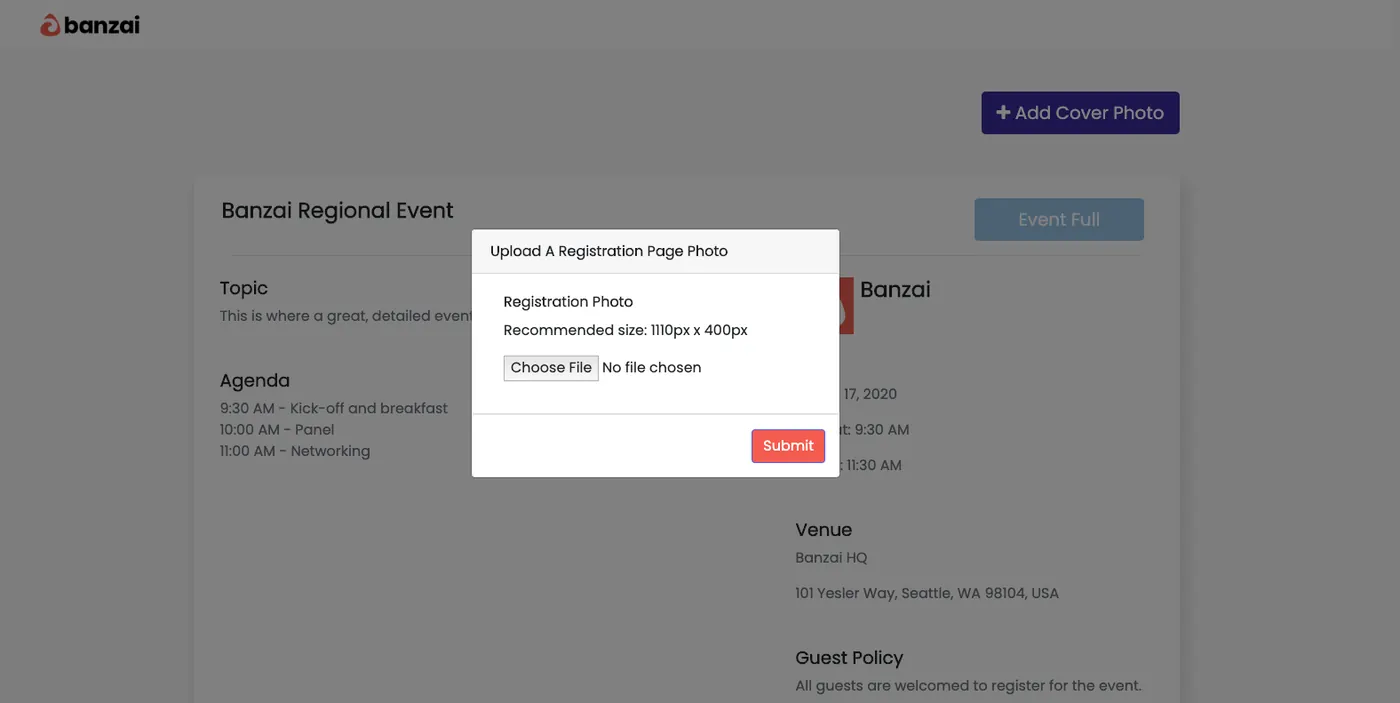
Reach recently introduced Registration Pages that are automatically created when customers set up an event on the platform. Starting this month, users can now add a branded cover photo to their registration pages. Our recommended image size is 1110px x 400px.
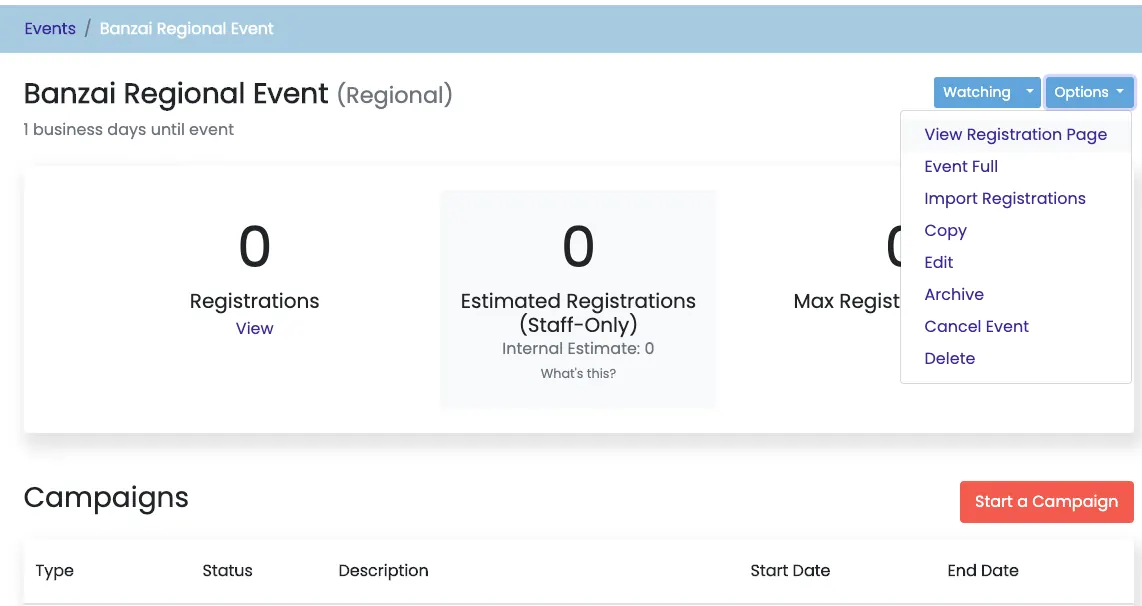
Step 1: Access your registration page under the “Options” dropdown on your event page.
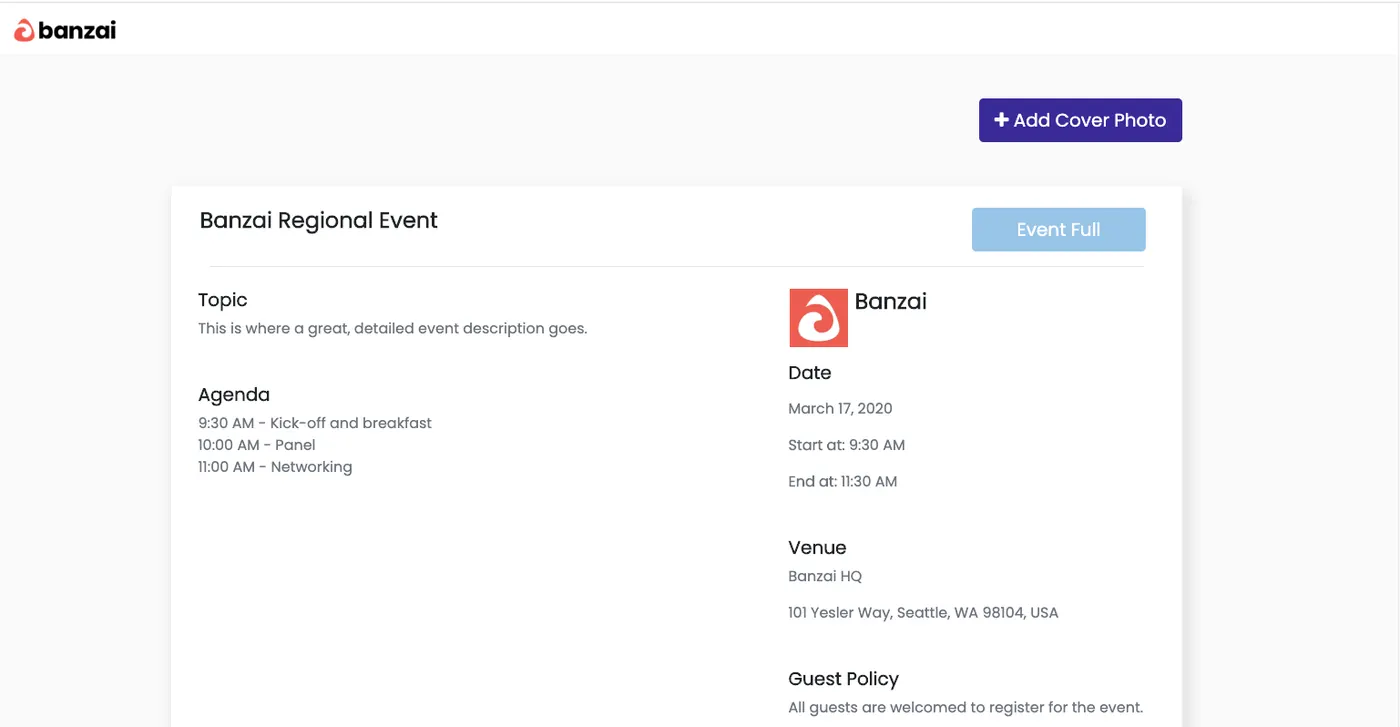
Step 2: Select “Add Cover Photo”
Step 3: Upload your cover photo (1110px x 400x)
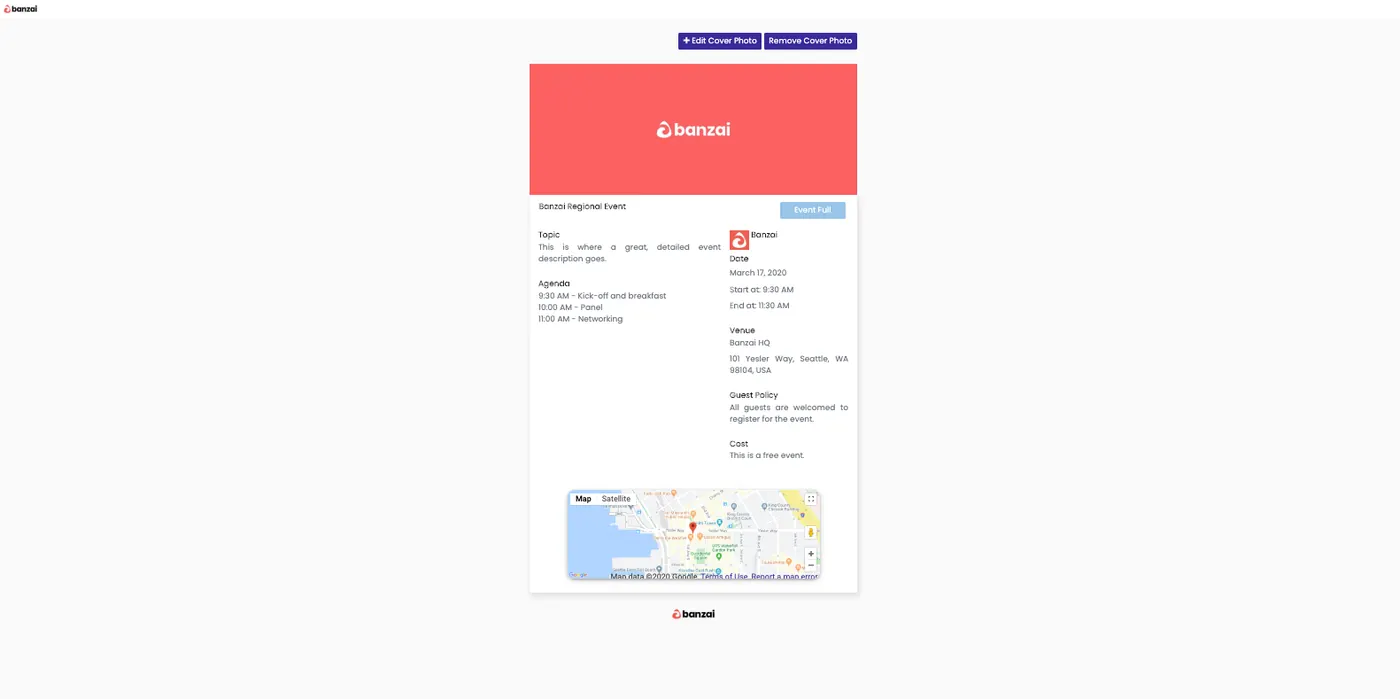
Learn more about setting up your registration pages here.
Audience Request Now Part of Campaign Creation
We've simplified the Audience creation process by integrating it into campaign creation. Users can now define their audience while creating campaigns in just a few minutes. Users will receive a summary of their Audience within 24 hours of creating your campaign.
Enhanced Targeting
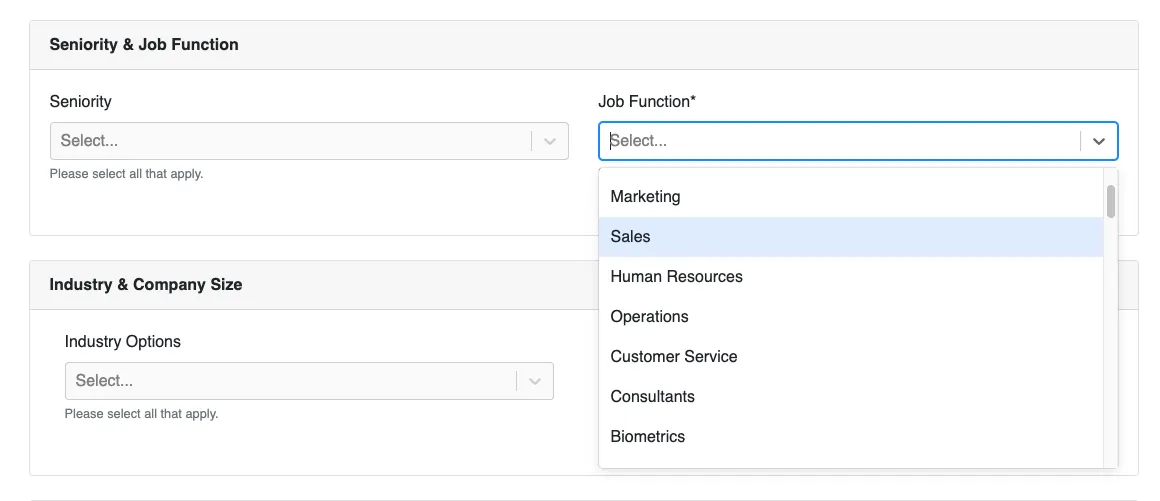
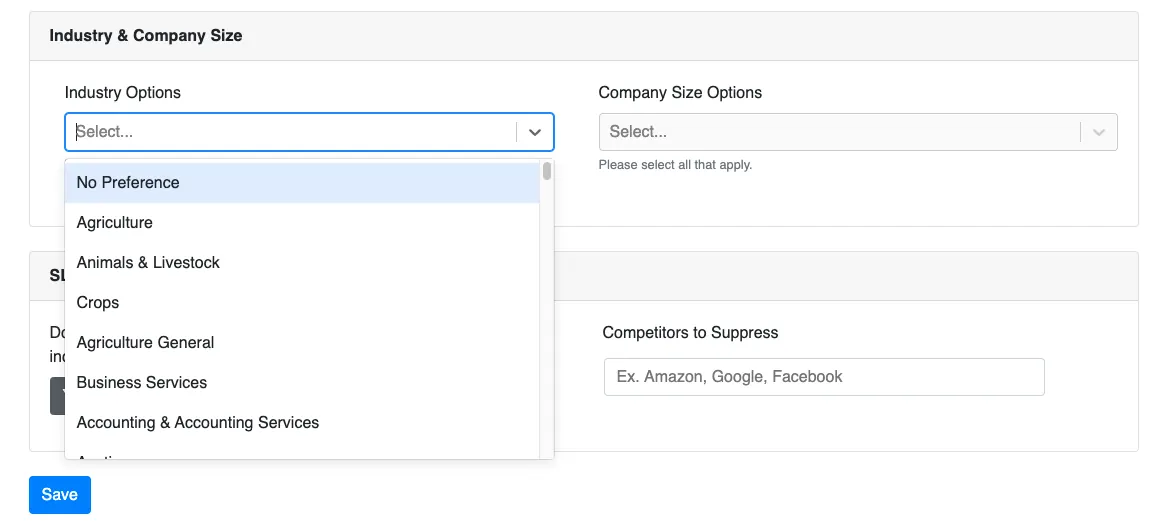
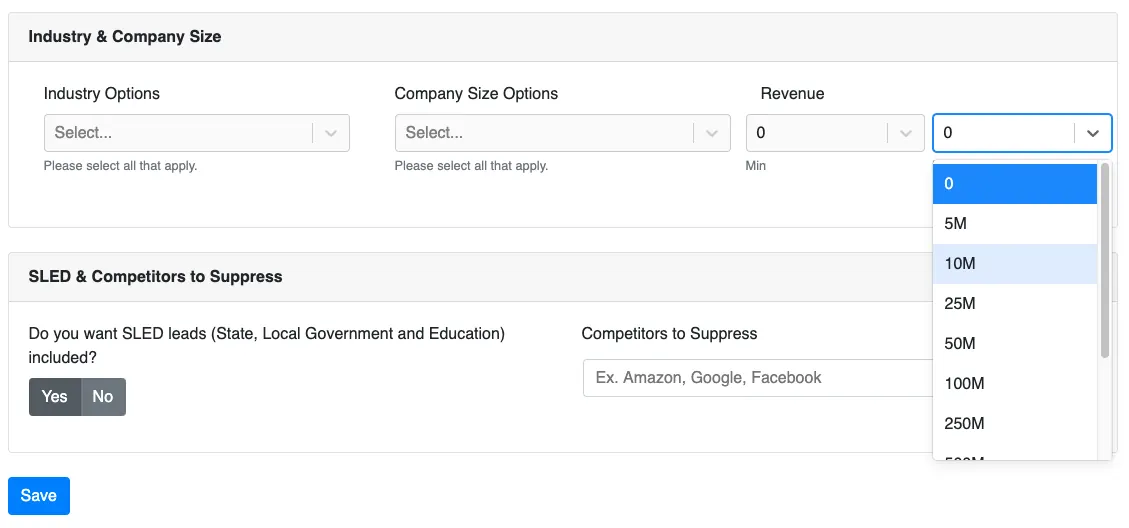
Reach's Audience Profile targeting has expanded to include more than 50 job functions, 200 industries, and the option to select revenue. This update allows you to create a hyper-targeted audience profile.
Job Function
Industry
Revenue
Select minimum revenue:
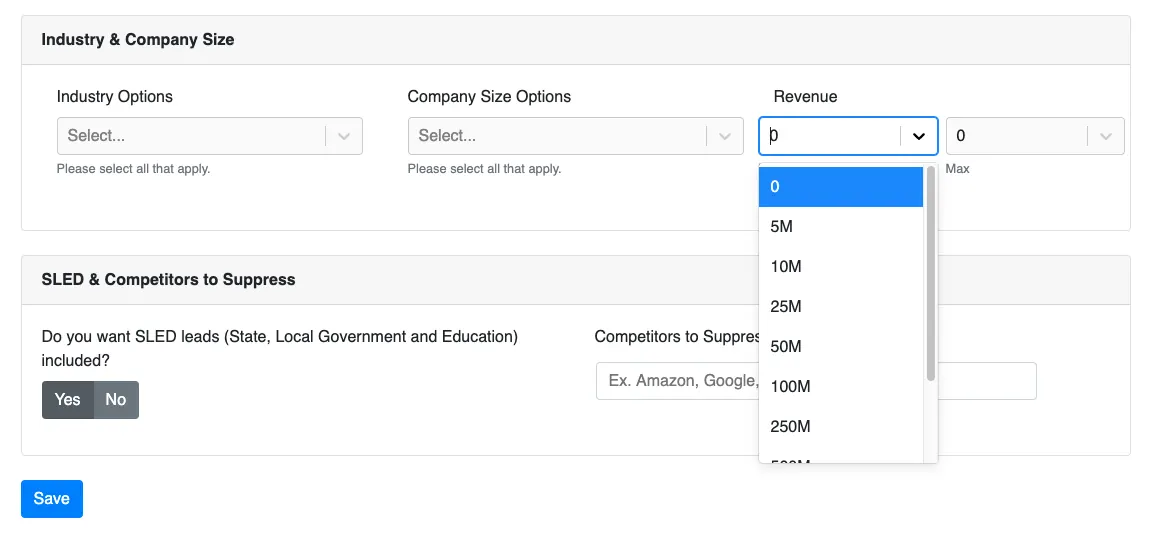
Select max revenue:
Confirmation and Reminder Selection
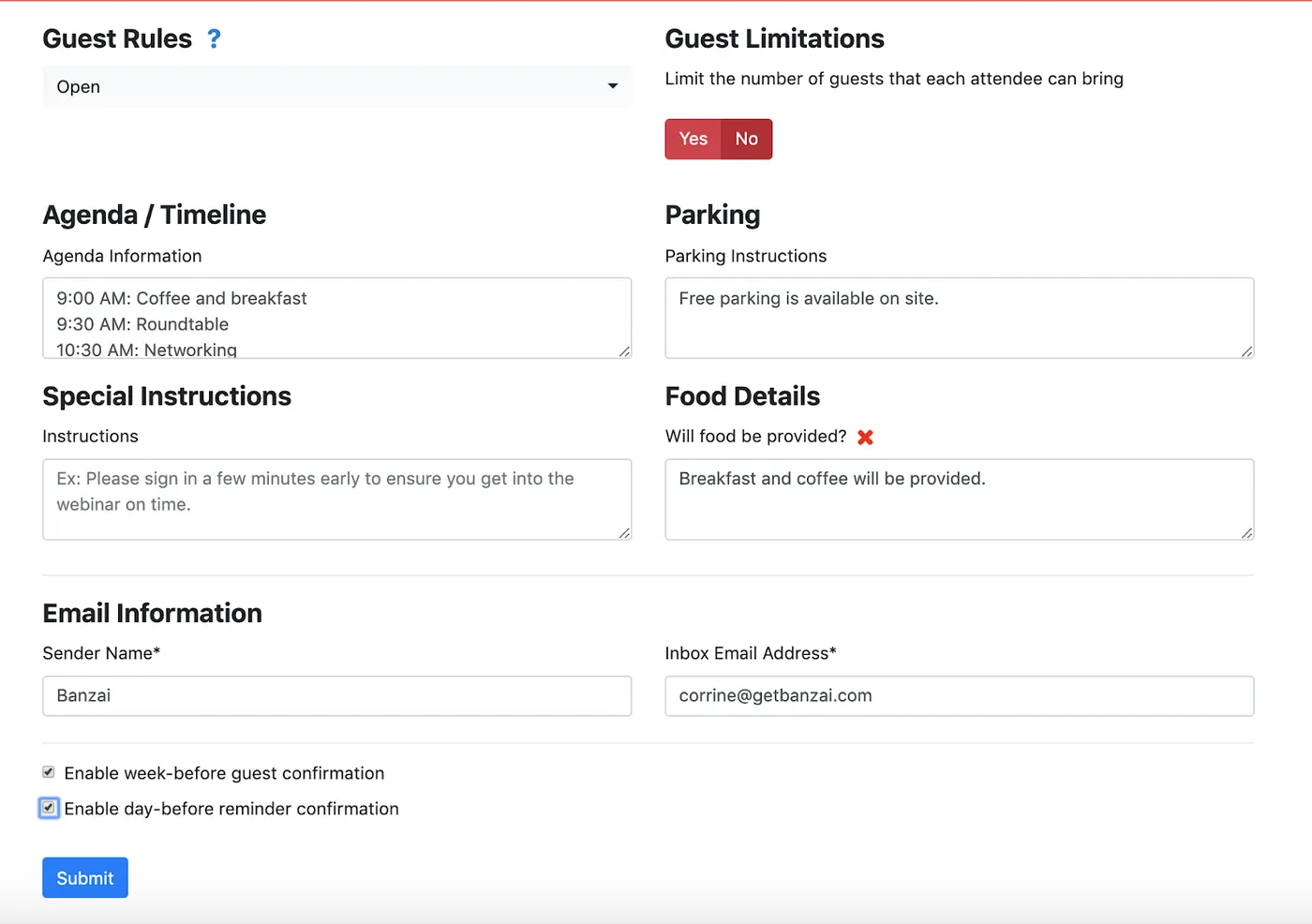
Users can now select whether or not they want to run Confirmation and Reminder campaigns when they set up their events.
Additional Feature Enhancements
- Event Cloning - Cloned events will no longer copy over the address from the previous event.
- Updated language - Going forward all “Registration Campaigns” will be referred to as “Invitation Campaigns”.
Questions about the latest releases? Connect with your Customer Success Manager.
Get the downloadEvent Planning Workbook: How to Run an Event That Isn’t TerribleNewsletter
One email a month with what’s working for the teams running events, webinars, and video.
Keep reading
More on banzai news.
 Ashley Levesque · Mar 19, 2024Banzai News
Customer Experience as a Competitive Advantage: Banzai Earns Customer Journey Innovation Award
Read more Joe Davy · Dec 9, 2022Banzai News
Banzai Announces Hyros Acquisition and Plans to Go Public
Read more Corrine Stratton · Jan 31, 2022Banzai News
4x Increase in Event Registrations in Collaboration with Banzai
Read more
Products
Run it on the products these teams use.
Demio for webinars, OpenReel and CreateStudio for video, ConnectAndSell for outbound, Superblocks for the apps between them.